Log on to rate and give feedback
1
2
3
4
5
Log on to rate
0

Interface utilisateur
Produits :
WebStation
Fonctionnalités :
Fonctionnalité de base
Version produit :
2024, 7.0
03/12/2024
Default System Settings – Theme Settings Tab
Use the Theme Settings tab to use dark mode and adjust size on icons and fonts.
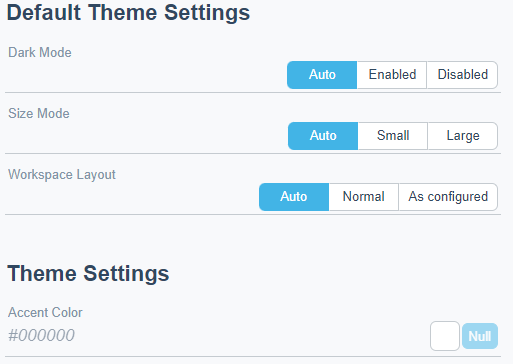
Figure :
Default theme settings tab
|
Component |
Description |
|
Dark Mode |
Select if you want to use dark mode. Pour plus d'informations, voir Theme Settings . |
|
Size Mode |
Select the size of icons and fonts. Pour plus d'informations, voir Theme Settings . |
|
Workspace layout |
Select the workspace. |
|
Accent Color |
Select accent color for the top toolbar. Pour plus d'informations, voir Theme Settings . |
 Regional Settings and Theme Settings
Theme Settings
Lead and Shadow Relationship
User Settings – Theme Settings Tab
User Settings – Regional Settings Dialog Box
Settings – Default Regional Settings Dialog Box
Regional Settings and Theme Settings
Theme Settings
Lead and Shadow Relationship
User Settings – Theme Settings Tab
User Settings – Regional Settings Dialog Box
Settings – Default Regional Settings Dialog Box