
Concept
Twisted Pair Adapter Device Installation
The Twisted Pair Adapter can be installed on a DIN rail or other flat surface inside a cabinet. The device is recommended to be installed in a cabinet, unless local regulations allow an exception.
Installation orientation restrictions
The adapter can be installed in any orientation, as there are no specific restrictions. However, since the adapter is typically installed directly beside the automation server or SpaceLogic BACnet/IP controller it connects to, the adapter is usually aligned in the same orientation as that server or controller.
Installation on a DIN rail
A DIN rail is a common and convenient technique for installing the adapter along with an automation server, a SpaceLogic BACnet/IP controller, or other associated control and monitoring devices. The most efficient ventilation is achieved with the wall-mounted DIN rail oriented horizontally and with adequate space provided between the adapter rail and adjacent rails or other devices.
The adapter is typically installed horizontally (on a DIN rail running left to right), with the device label oriented upright and readable from left to right. The adapter is typically installed directly beside the automation server or SpaceLogic BACnet/IP controller to which it is connected.


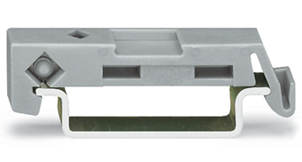
To help prevent the device from sliding down or sideways on the DIN rail, install an end clip for DIN 35 (part number SXWDINEND10001) tightly against the bottom or rightmost device on the rail. The end clip is easily removed if you bend the snap lock open with a screwdriver.
Installation in a cabinet
The adapter is recommended to be installed in a cabinet, unless local regulations allow an exception.
The device should be installed within an enclosure such as a control cabinet for isolation to exposed live parts.
The adapter can be installed in a standard DIN enclosure/cabinet.

When installing adapters in a cabinet, it is recommended to provide ample space between the DIN rails where the adapters and their connected servers or controllers are installed. This helps ensure sufficient ventilation.
Screw terminals
The adapter has removable screw terminal blocks for the power input and for the connection to the twisted pair cable network. The screw terminal blocks are easy to install and remove from the device. You can replace the device in seconds because no terminal wiring is affected. The terminal blocks are installed on the device at delivery. Use only terminal blocks delivered with the device (or equivalent terminal blocks). For more information, see Twisted Pair Adapter Screw Terminals and Port .
Install only a wired terminal block that matches the labeling of the terminals on the device. If the labels on the wires do not indicate the intended terminals, consult the control panel documentation to determine the intended terminals.
Hardware Overview
Twisted Pair Adapter
 Installing a Twisted Pair Adapter on a DIN Rail
Installing a Twisted Pair Adapter on a Flat Surface
Twisted Pair Adapter Screw Terminals and Port
Installing a Twisted Pair Adapter on a DIN Rail
Installing a Twisted Pair Adapter on a Flat Surface
Twisted Pair Adapter Screw Terminals and Port