Log on to rate and give feedback
1
2
3
4
5
Log on to rate
0

How to
Products:
AS-P-3, AS-B, Edge Server, AS-P, Registration Portal
Functionalities:
License Management, Registration
Product version:
7.0, 7.1
11/15/2025
Obtaining the System Identifier
You obtain the system identifier to order licenses in the EcoStruxure Power & Building Software Companion application on EcoStruxure Sales Portal.
To obtain the system identifier
In WorkStation, on the Help menu, click Registration .
action_zoom_plus_stroke 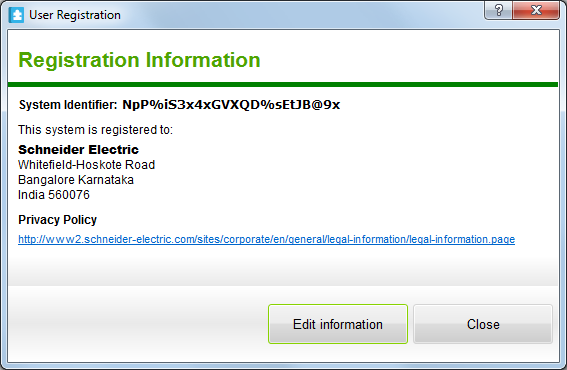 Important:
If the EcoStruxure BMS is not registered the registration website is displayed and you have to register the system.
For more information, see Registering an Online System .
For more information, see Registering an Offline System .
 Software and Features that Require Licenses
Registering an Online System
Registering an Offline System
Software and Features that Require Licenses
Registering an Online System
Registering an Offline System