Log on to rate and give feedback
1
2
3
4
5
Log on to rate
0

User Interface
Products:
WorkStation
Functionalities:
Schedules
10/30/2025
Schedule Settings Dialog Box
Use the Schedule Settings dialog box to edit the configuration settings for the selected schedule.
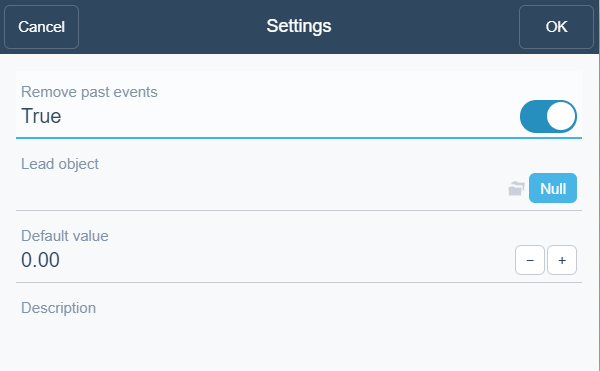
Figure:
Schedule settings dialog box
|
Component |
Description |
|
Remove past events |
Select True to remove events that have already occurred from the selected schedule. |
|
Lead object |
Click to select a lead schedule if you want the selected schedule to be a shadow schedule. For more information, see Lead and Shadow Relationship . |
|
Default value |
Enter a default value for the selected schedule. |
|
Description |
Type a description for the selected schedule. |
 Lead and Shadow Relationship
Schedule Workspace Toolbar
Lead and Shadow Relationship
Schedule Workspace Toolbar