
User Interface
Point Pie Properties Dialog Box
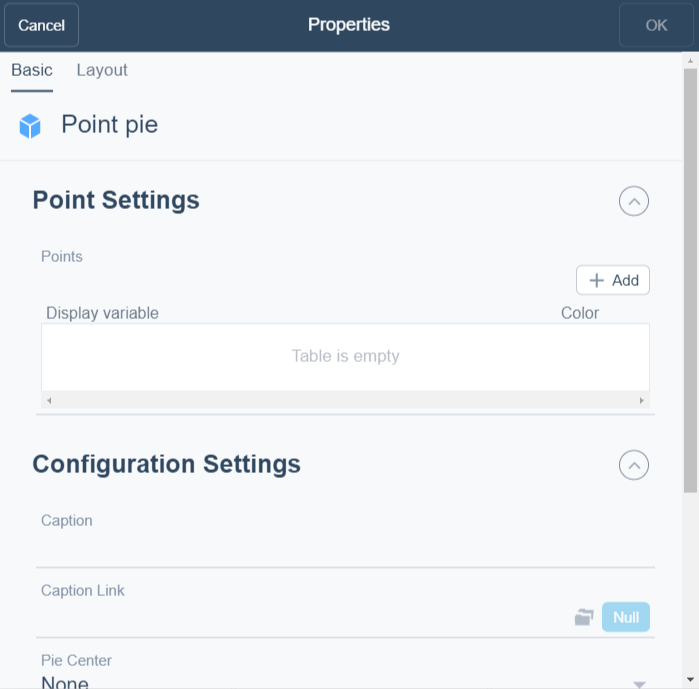
Use the Point pie properties dialog box to to configure and edit a a point pie.
|
Component |
Description |
|
Add |
Click to add a point. |
|
Display variable |
Enter the variable you want to display. |
|
Color |
Select the color for the variable. |
|
Caption |
Type a caption for the widget. |
|
Caption Link |
Select to make a link to an object that is relevant to the values that are displayed in the widget. |
|
Pie Center |
Select how you want to display the pie center. For more information, see Point Pie . |
|
Show Legend |
Click True to display the name and color of the trend log in the widget. |
|
Show Percentages |
Select to display the values in percentage. |
|
Display Values |
Select to to display the numerical values. |
 Dashboard Widgets
Point Pie
Widget Dialog Box – Layout Tab
Dashboard Widgets
Point Pie
Widget Dialog Box – Layout Tab