
User Interface
Dashboard Properties – Basic Tab
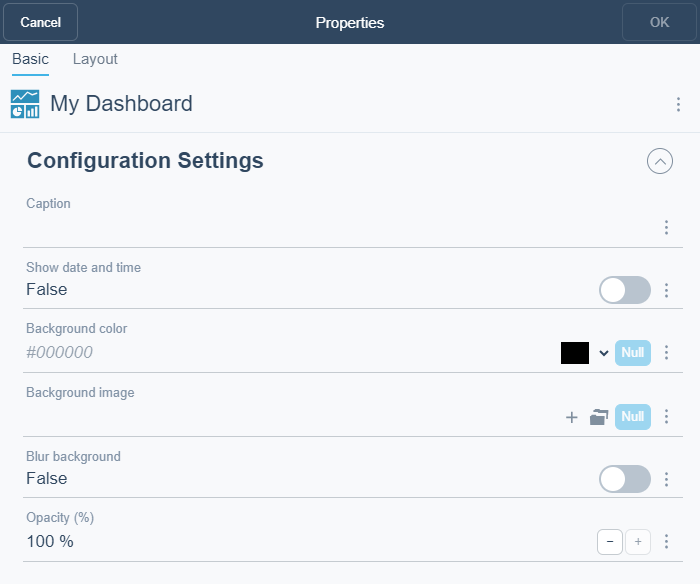
Use the Dashboard Properties dialog box to configure a dashboard.
|
Component |
Description |
|
Caption |
Type a caption for the dashboard. |
|
Show date and time |
Select True to display the server date and time in the upper right corner of the dashboard. |
|
Background color |
Enter a background color. |
|
Background image |
Select a background image. The background image must already exist in your EcoStruxure Building Operation system. If not, you add the background image as a document. For more information, see Documents Overview . |
|
Blur background |
Select True to blur the background image. This will blur the background of widgets if the widget opacity is below 100%. |
|
Opacity |
Select the opacity on the widgets. |
 How Dashboards Work
Documents Overview
How Dashboards Work
Documents Overview