
User Interface
General Information Properties – Basic Tab
Use the Basic tab to configure and view the General Information properties.
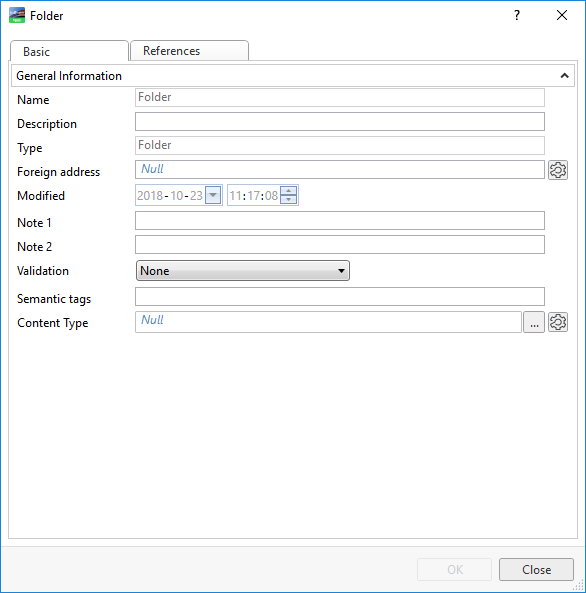
Component | Description |
Name | Displays the name of the object. |
Description | Type a description that explains what the object is used for. Note: When performing a fire detection system reload, the description is replaced with the description provided in the Fire Expert configuration. |
Type | Displays the object type that defines the properties of the object. |
Foreign address | Displays the address to a non-EcoStruxure Building Management product, for example a BACnet device. |
Modified | Displays the date and time when the object was last modified. |
Note 1 | Type text that you display in a graphic or use when searching for the object. |
Note 2 | Type text that you display in a graphic or use when searching for the object. |
Validation | Select the validation status of the object to keep track of which objects have passed or not passed the validation. |
Executed by | Indicates the object is executed by a BACnet device. An empty field indicates the object is executed by a field server or Enterprise Server. |
 Object Properties