
How to
Displaying Milliseconds in Event Views
You display milliseconds in Event Views to verify the millisecond an event was triggered.
Building Operation records all system events together with information and circumstances in a log, called the Event log. Those event records can be viewed in the Events pane or Event Views. You can create and use more than one Events Views. Each Event Views and the Events pane can be customized with an event filter to only show the information you are interested in.
Style the Events Pane and Event View
You can style certain events to bring out those that are more of interest than other events listed in the Events pane and Event Views. To style a specific event, you first had to create a condition that is associated with the events you want to style. An event can be styled with a unique background color, font, and font color.
For example, you can style all events where an alarm is acknowledged. To separate this event from others you configure the background color to dark green and the font color to white. All other events have the default style which is a white background and black font color.
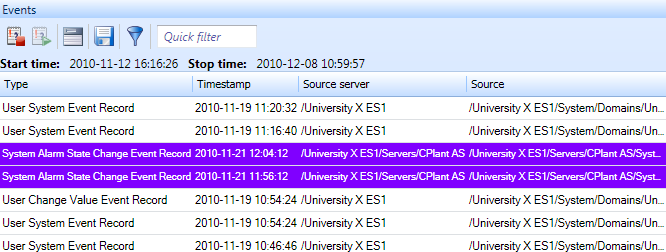
If an event fulfills the condition criteria in more than one of the configured event criteria, it is the event style with highest priority in the Events view style dialog box that is applied to the event.
In WorkStation, select an Event View.
On the File menu, click Properties.
In the Show milliseconds box, select True.
Click OK.
The Event View time properties display milliseconds for all logged on users.
 Events Pane and Event View Customization
 Event View Properties