
User Interface
BACnet Setup Screen
Use the BACnet Setup screen to configure the BACnet/IP network communication.
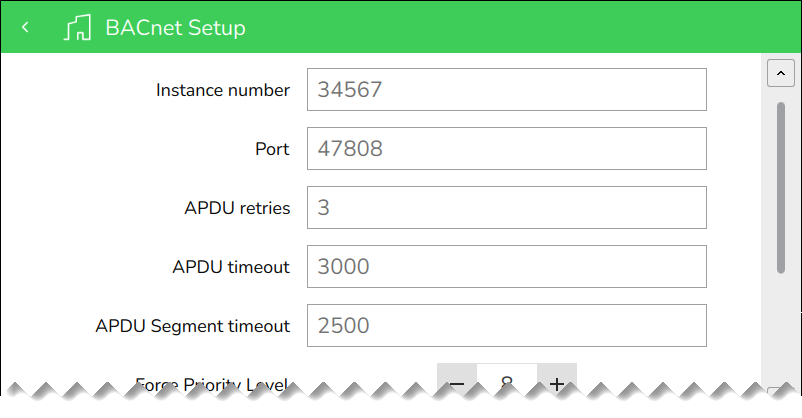
|
Component |
Description |
|
Instance number |
Type the BACnet instance number. This task requires administrator permissions. |
|
Port |
Type the communication port number. This task requires administrator permissions. |
|
APDU retries |
Type the maximum number of times that an Application Protocol Data Unit shall be retransmitted This task requires administrator permissions. |
|
APDU timeout |
Type the time in milliseconds that the driver will wait for a response from a device after sending a request. This task requires administrator permissions. |
|
APDU Segment timeout |
Type the amount of time in milliseconds between the retransmission of an Application Protocol Data Unit segment This task requires administrator permissions. |
|
Force Priority Level |
Tap + or - to configure the priority level at which the force actions will be applied. For more information, see Value Editing . This task requires administrator permissions. |
|
Time master |
Tap to determine if Operator Display sets the time for all its connected devices. This task requires administrator permissions. |
|
Device name |
Type a name unique to this device. This task requires administrator permissions. |
|
Device description |
Type a description unique to this device. This task requires administrator permissions. |
 Configuration
Value Editing
Configuration
Value Editing