Log on to rate and give feedback
1
2
3
4
5
Log on to rate
0

How to
Products:
AS-B, Edge Server, Enterprise Central, Enterprise Server, AS-P, Virtual Project Servers
Functionalities:
Basic Functionality
Product version:
2023
12/16/2022
Mass Editing Objects
You can edit more than one object at the same time to save time.
Use Multi-edit when you want to change a lot of property values at the same time. For example, you want to change all setpoints from 22 to 20. You select all the objects in the List View, open the Properties grid, and then change the value in the Value box. After you click Save, the changes take effect.
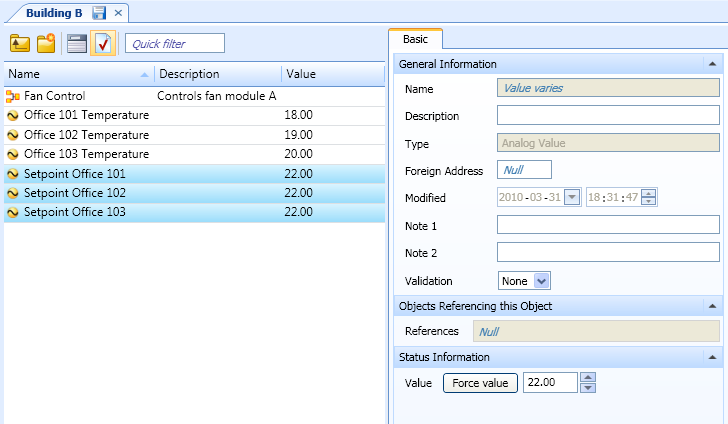
Figure:
Multi–editing
The objects do not need to be of the same type to be edited. However, the properties you want to edit have to be of the same type.
To mass edit objects
In WorkStation, in the List View, select the objects you want to edit.
In the List View, expand Properties.
In the Properties grid, edit the property you want to change for all selected objects.
Click the Save
button.action_zoom_plus_stroke

 Multi-edit
 List View Toolbar
 Mass Copying Selected Properties